
Geo-Location: Country Targeting, Age per Country & Region Blocking
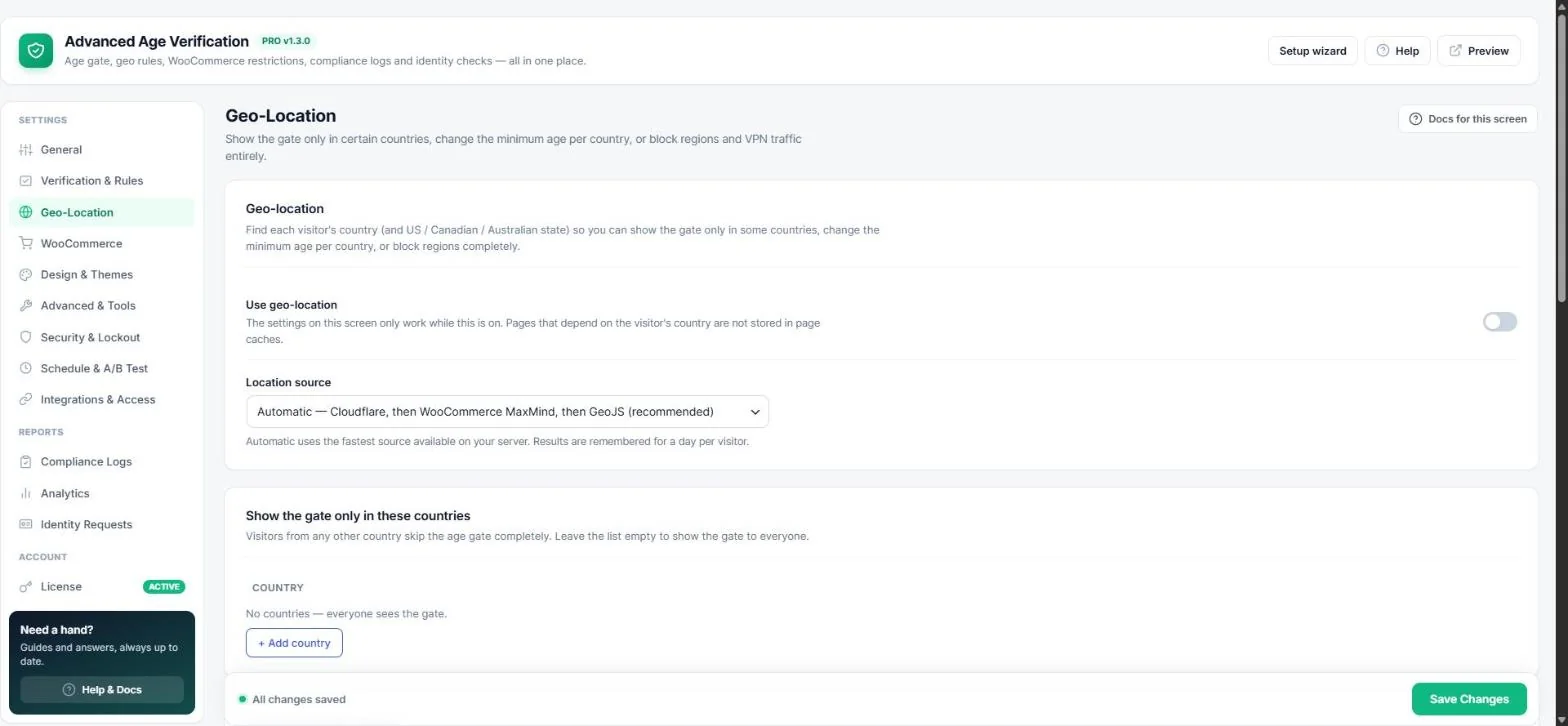
Geo-location finds each visitor's country (and US, Canadian or Australian state). Use it to show the gate only in some countries, change the minimum age per country, or block regions completely. Open Age Verification → Geo-Location.
Turn on geo-location
- Switch on Use geo-location.
- Keep Location source on Automatic — it uses Cloudflare headers when available, then the WooCommerce MaxMind database, then the free GeoJS service.
- Save. Results are remembered for a day per visitor, so it stays fast.
Show the gate only in certain countries
Add countries under Show the gate only in these countries. Visitors from anywhere else skip the age gate. Leave the list empty to show it to everyone.
Minimum age per country
Click + Add country under Minimum age per country — for example United States 21, Japan 20. Everyone else uses the age from the General tab.
Tip: Need a different age per state, or a different type of check per country? Use Region rules.
Block regions completely
- Blocked countries and Blocked states / provinces — visitors from these places see an “Access restricted” screen or are sent to your redirect address.
- Message —
{region}is replaced with the visitor's country or state. - Block VPNs, proxies and Tor — stops visitors hiding their location. Add a free proxycheck.io key for up to 1,000 new visitors per day. If the service cannot be reached, nobody is blocked.
Note: Administrators are never blocked, and pages that depend on the visitor's country are not stored in page caches.
Important: If your site is behind Cloudflare or another proxy, check Security & Lockout → Visitor IP detection first — geo-location needs the real visitor IP (see the guide).
Read next
Was this guide helpful?