
Compliance & Legal Vault: Audit Logs, CSV & PDF Reports
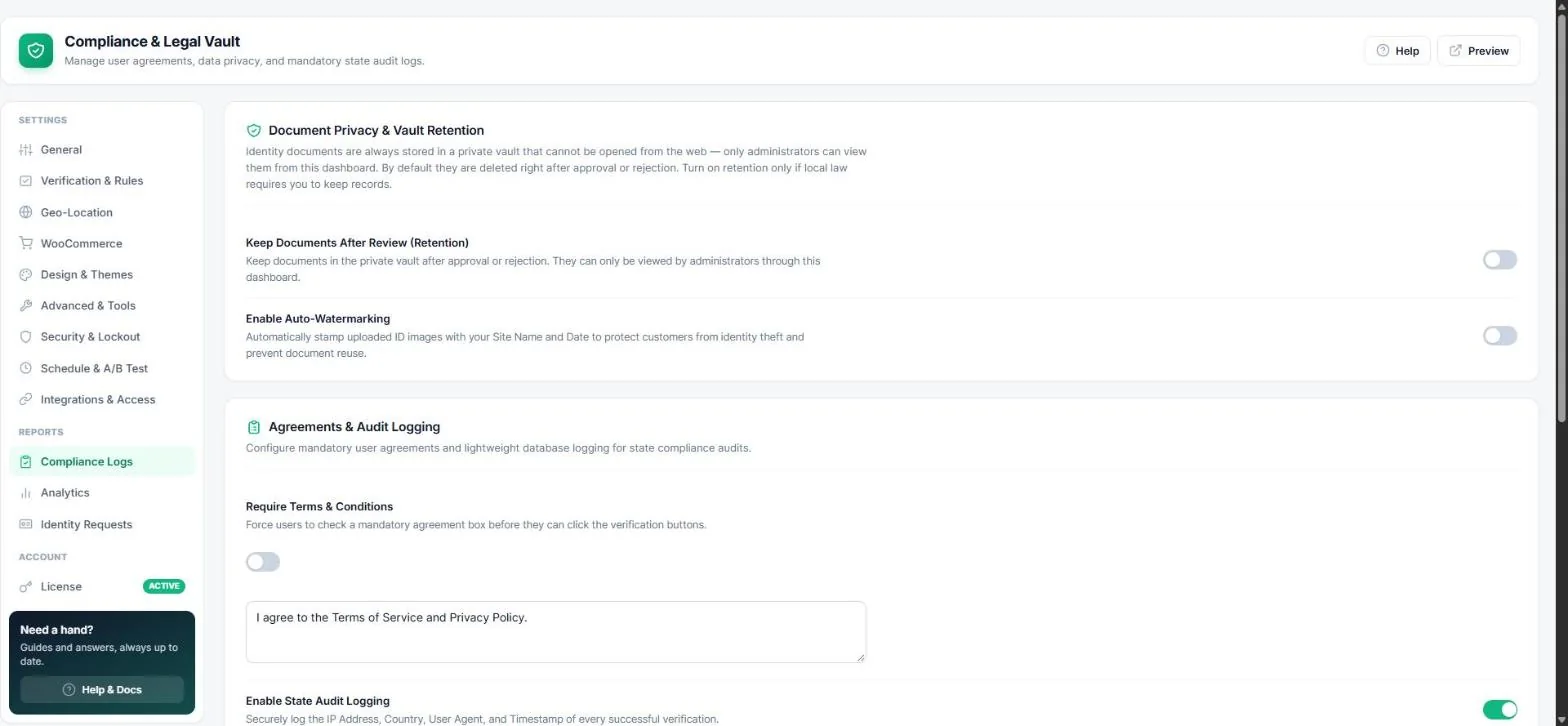
Be ready for an audit. Age Verification → Compliance Logs keeps a record of successful verifications, adds a Terms checkbox and creates reports for regulators.
Audit logging
- Turn on Enable state audit logging. The IP address, country, browser and time of every successful verification are recorded.
- Click Download CSV report to export the full history (it contains IP data — store it securely).
Tip: Set an automatic clean-up period under Security → Data & Privacy.
Terms & Conditions checkbox
Turn on Require Terms & Conditions and enter your text (links allowed). Visitors must tick the box before they can verify.
PDF compliance report
Choose a period (last 30 / 90 days, this year or custom) and click Download PDF report. The report shows how your age gate is configured, your region rules, how many visitors were checked with each method and from which countries, pass rates, audit-log totals and ID review outcomes. It contains no personal data, so you can send it to an auditor or payment provider as-is.
Document vault
- ID documents are always kept in a private vault that cannot be opened from the web.
- By default they are deleted right after approval or rejection. Turn on Keep documents after review only if your local law requires it.
- Auto-watermarking stamps uploaded IDs with your site name and the date to prevent reuse.
Note: Team members with the “View reports & logs” permission can download these reports without being administrators (Team access).
Read next
Was this guide helpful?